| version |
unix-timestamp |
description |
| 2.0.0 |
1588032000 |
| C |
| <p>New features:</p>
<ul>
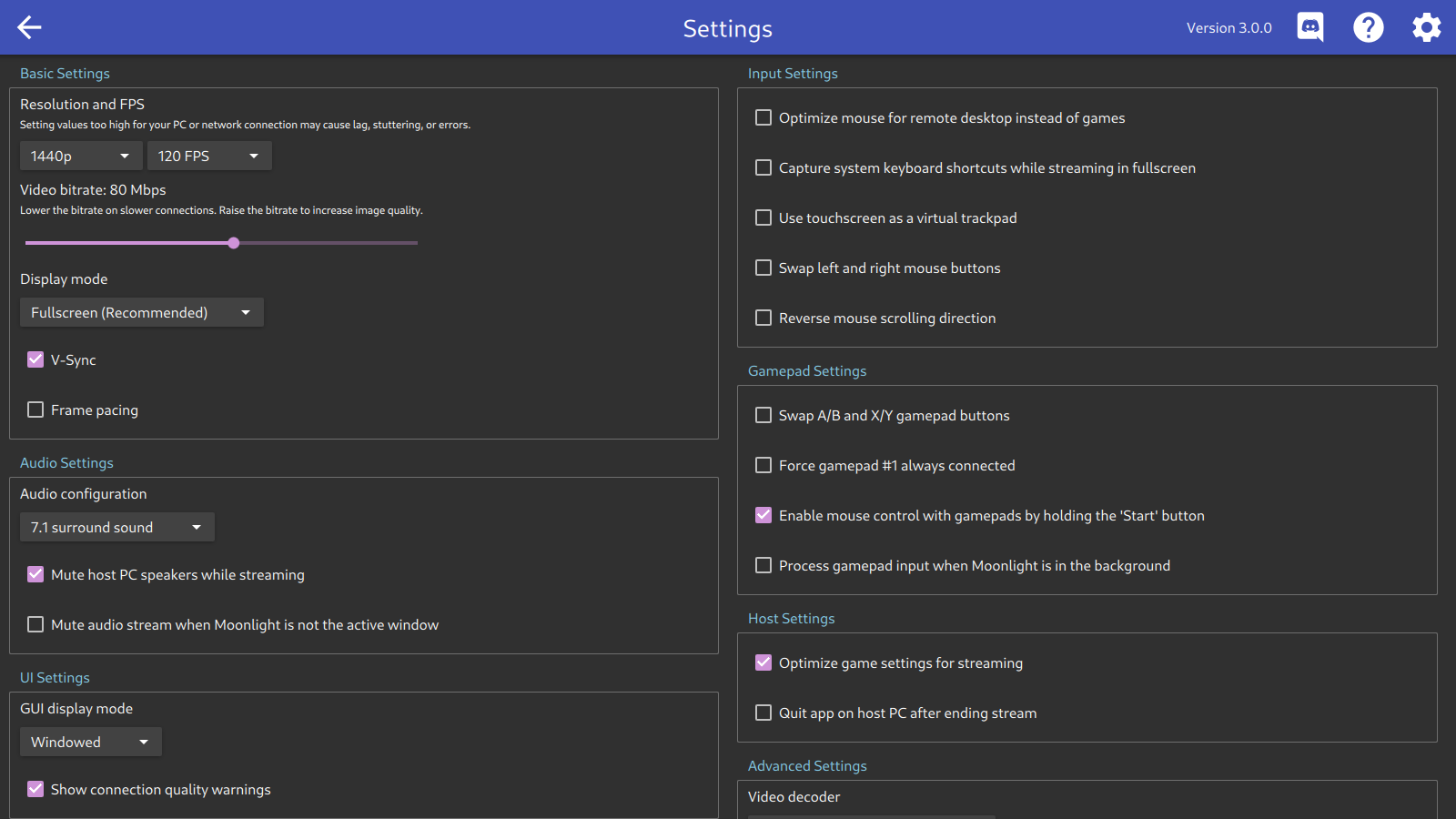
<li>Remote desktop-optimized mouse mode which doesn't require capturing the mouse cursor</li>
<li>Touchscreen input now directly controls the mouse cursor</li>
<li>7.1 surround sound support</li>
</ul>
<p>Bugfixes:</p>
<ul>
<li>Improved performance on some lossy networks</li>
<li>Fixed disconnect delay when streaming from GeForce Experience 3.20.3.63</li>
<li>Fixed frame rate not exceeding 60 when streaming from GeForce Experience 3.20.3.63</li>
<li>Fixed parsing of command-line options when passing flags prior to the action</li>
<li>Fixed an issue that may cause excessive mDNS network traffic while Moonlight is running</li>
<li>Fixed hardware decoding on Intel GPUs running Mesa 20.0 and/or the Iris driver</li>
<li>Fixed hardware decoding on Comet Lake and later Intel GPUs using the iHD VA-API driver</li>
<li>Fixed hardware decoding on AMD Radeon GPUs with XWayland</li>
<li>Fixed a crash when using the iHD VA-API driver on Wayland</li>
<li>Fixed delay after exiting the stream on Wayland</li>
<li>Updated included gamepad mappings</li>
</ul> |
|
|
| version |
unix-timestamp |
description |
| 1.2.0 |
1576540800 |
| C |
| <p>Bugfixes:</p>
<ul>
<li>Improved video encoding efficiency</li>
<li>Improved performance when streaming over a VPN</li>
<li>Fixed RTSP handshake error on certain networks</li>
<li>Fixed rumble not working on certain gamepads</li>
<li>Fixed pairing error when double-clicking on an unpaired PC</li>
<li>Updated included SDL gamepad mappings</li>
</ul> |
|
|
| version |
unix-timestamp |
description |
| 1.1.1 |
1569715200 |
| C |
| <p>Bugfixes:</p>
<ul>
<li>Improved reliability of public IP address detection</li>
<li>Fixed connecting to a host PC with multiple network connections</li>
<li>Fixed a hang after exiting a full-screen stream with GNOME on Wayland</li>
<li>Fixed gamepad hotplugging</li>
<li>Updated to SDL 2.0.10</li>
<li>Updated to Qt 5.13.1</li>
</ul> |
|
|
| version |
unix-timestamp |
description |
| 1.1.0 |
1564963200 |
| C |
| <p>New features:</p>
<ul>
<li>Added support for NVDEC for NVIDIA GPUs on Wayland</li>
<li>Added an option to disable gamepad mouse mode for games that require holding the Start button</li>
<li>Added automatic detection of IPv6 addresses for Internet streaming over IPv6 networks</li>
</ul>
<p>Bugfixes:</p>
<ul>
<li>Improved speed and reliability of automatic PC detection on the local network</li>
<li>Fixed audio latency increasing under certain network conditions</li>
<li>Fixed 5.1 surround sound sometimes causing no audio to play when streaming over the Internet</li>
<li>Fixed graceful termination of games not being detected properly on GFE 3.19</li>
<li>Fixed several audio issues on Linux by switching back to SDL for audio</li>
<li>Changed client certificate signature algorithm from SHA-1 to SHA-256 for Debian Buster compatibility</li>
<li>Updated included gamepad mappings</li>
</ul> |
|
|
| version |
unix-timestamp |
description |
| 1.0.1 |
1558915200 |
| C |
| <p>Bugfixes:</p>
<ul>
<li>Fixed broken video on GeForce Experience 3.19</li>
</ul> |
|
|
| version |
unix-timestamp |
description |
| 1.0.0 |
1558396800 |
| C |
| <p>New features:</p>
<ul>
<li>Mouse mode for gamepads (Press and hold Start to toggle)</li>
<li>Improved gamepad UI navigation</li>
</ul>
<p>Bugfixes:</p>
<ul>
<li>Fixed duplicate non-working gamepads appearing on the host</li>
<li>Fixed excessive frame queue delay on macOS</li>
<li>Fixed excessive audio latency on Steam Link</li>
<li>Fixed hiding mouse cursor after streaming on Steam Link</li>
<li>Fixed incorrect receive time stats on 32-bit platforms</li>
<li>Added UDP ports 48002 and 48010 for Wake-on-LAN</li>
<li>Updated included gamepad mappings</li>
</ul> |
|
|
| version |
unix-timestamp |
description |
| 0.10.1 |
1556409600 |
| C |
| <p>New features:</p>
<ul>
<li>Video performance optimizations</li>
<li>VAAPI support on Wayland</li>
</ul>
<p>Bugfixes:</p>
<ul>
<li>Fixed a crash when attempting to dismiss the connection terminated dialog</li>
<li>Fixed a crash when using the overlay on the software decoder</li>
<li>Fixed software decoder not displaying output in some cases</li>
<li>Fixed some minor UI issues on the PC grid</li>
<li>Improved visibility of toolbar highlights</li>
</ul> |
|
|
| version |
unix-timestamp |
description |
| 0.10.0 |
1554595200 |
| C |
| <p>New features:</p>
<ul>
<li>Redesigned App Grid with larger game artwork and less blank space</li>
<li>Redesigned UI dialogs using Material Design</li>
<li>Added a connection warning overlay (which can be disabled in settings)</li>
<li>Streaming window no longer minimizes when it loses focus in full-screen mode</li>
<li>The Steam Link device is now a supported platform</li>
</ul>
<p>Bugfixes:</p>
<ul>
<li>Fixed several bugs that could cause UI hangs or lag</li>
<li>Fixed rumble support on gamepads with limited rumble motor control</li>
<li>Fixed increased memory usage if the software renderer gets delayed</li>
<li>Fixed crashes on certain desktop configurations when loading the UI</li>
<li>Fixed handling of pairing certificates with a bogus date</li>
</ul> |
|
|
| version |
unix-timestamp |
description |
| 0.9.1 |
1550361600 |
| C |
| <p>New features:</p>
<ul>
<li>Added gamepad rumble support</li>
<li>Added a dedicated quit button to the running app tile</li>
<li>Reduced video latency on Windows and Linux</li>
<li>Added a performance overlay for software decoding</li>
</ul>
<p>Bugfixes:</p>
<ul>
<li>Fixed delayed first video frame with GFE 3.17</li>
<li>Fixed erroneously setting host resolution to 720p in certain configurations</li>
<li>The connection termination dialog is no longer displayed for intentional termination</li>
<li>Fixed some gamepads only functioning for UI navigation and not in game</li>
<li>Fixed audio latency increasing when switching audio devices</li>
<li>Fixed VDPAU scaling behavior on AMD cards</li>
<li>Fixed several bugs in gamepad navigation behavior</li>
<li>Work around a bug in QGnomePlatform that breaks dialog rendering on Linux</li>
<li>Updated included SDL gamepad mappings</li>
<li>Fixed hotkey behavior on non-latin keyboards</li>
<li>Fixed incorrect frame drop percentages in debug stats</li>
</ul> |
|
|
| version |
unix-timestamp |
description |
| 0.8.1 |
1546905600 |
| C |
| <p>New features:</p>
<ul>
<li>Stricter adherence to the specified bitrate when streaming over the Internet</li>
</ul>
<p>Bugfixes:</p>
<ul>
<li>Fixed audio crackling that impacted certain systems</li>
<li>Fixed Wake-on-LAN packets failing to send on some systems</li>
<li>Reduced audio latency when resuming a session where audio is already playing</li>
<li>Added option to enable the old SDL audio renderer by setting ML_AUDIO=SDL</li>
<li>Updated to use the new Qt 5.12 Flatpak runtime</li>
<li>Updated to FFmpeg 4.1</li>
<li>Minor UI tweaks</li>
</ul> |
|
|
| version |
unix-timestamp |
description |
| 0.8.0 |
1545696000 |
| C |
| <p>New features:</p>
<ul>
<li>Improved security of pairing - After this update, you must re-pair with your PC!</li>
<li>Enabled quitting games started by other Moonlight clients also running this update</li>
</ul>
<p>Bugfixes:</p>
<ul>
<li>Fixed the video bitrate slider not working above certain values on GFE 3.16</li>
<li>Fixed broken Bluetooth audio with PulseAudio</li>
<li>Reduced audio latency</li>
<li>Fixed some non-gamepad devices triggering the unmapped gamepad dialog box</li>
<li>Minor UI tweaks</li>
</ul> |
|
|
| version |
unix-timestamp |
description |
| 0.7.0 |
1543968000 |
| C |
| <p>New features:</p>
<ul>
<li>Added option to quit the app after stopping the stream</li>
<li>Added CLI option to quit the running app</li>
</ul>
<p>Bugfixes:</p>
<ul>
<li>Switched to libsoundio backend to address audio glitches and reduce latency</li>
<li>Fixed CLI version output</li>
<li>Fixed streaming error messages not showing up when launching from CLI</li>
<li>Updated included SDL gamepad mappings</li>
<li>Various minor UI tweaks</li>
</ul> |
|
|
| version |
unix-timestamp |
description |
| 0.6.4 |
1542672000 |
| C |
| <p>New features:</p>
<ul>
<li>Added an option to match client display refresh rate when FPS is unlocked</li>
</ul>
<p>Bugfixes:</p>
<ul>
<li>Fixed multiple gamepads not being detected on the host in some scenarios</li>
<li>Fixed an incorrect warning when trying to stream at 4K</li>
</ul> |
|
|
| version |
unix-timestamp |
description |
| 0.6.3 |
1542326400 |
| C |
| <p>New features:</p>
<ul>
<li>Added support for GeForce Experience 3.16</li>
<li>Added an option to force Moonlight to start in windowed mode</li>
</ul>
<p>Bugfixes:</p>
<ul>
<li>Fixed scrolling not working on the settings page</li>
<li>Skipped using proxy servers when attempting to stream</li>
<li>Fixed a couple possible crashes</li>
<li>Renamed the mouse acceleration option to be more clear</li>
</ul> |
|
|
| version |
unix-timestamp |
description |
| 0.6.2 |
1540684800 |
| C |
| <p>New features:</p>
<ul>
<li>Added automatic IP address detection for Internet streaming</li>
<li>Added a quit shortcut tip for gamepad users</li>
</ul>
<p>Bugfixes:</p>
<ul>
<li>Fixed server state polling not being stopped while streaming</li>
</ul> |
|
|
| version |
unix-timestamp |
description |
| 0.6.1 |
1539475200 |
| C |
| <p>New features:</p>
<ul>
<li>Added support for quitting Moonlight via gamepad</li>
<li>Added tooltips for games with very long names</li>
</ul>
<p>Bugfixes:</p>
<ul>
<li>Added a workaround for a memory leak in the VAAPI driver for AMD GPUs</li>
<li>Fixed combo boxes on the settings page being too small for certain DPI scaling</li>
<li>Reduced power usage when Moonlight is idling in the background for a while</li>
</ul> |
|
|
| version |
unix-timestamp |
description |
| 0.6.0 |
1538784000 |
| C |
| <p>New features:</p>
<ul>
<li>Added keyboard and gamepad UI navigation</li>
<li>Added support for mouse X1 and X2 buttons (back and forward)</li>
<li>Added support for mouse movement with touchscreens</li>
<li>Improved HEVC performance at high bitrates</li>
<li>Added support for launching streaming sessions directly from a terminal or script</li>
<li>Added quit shortcut for gamepads: Select+Start+L1+R1</li>
</ul>
<p>Bugfixes:</p>
<ul>
<li>Fixed not saving deletion of PCs</li>
<li>Fixed keys being stuck down on the host PC after Moonlight loses focus or quits</li>
<li>Fixed some warning dialogs being stuck behind the UI window</li>
<li>Updated included gamepad mapping list</li>
</ul> |
|
|
| version |
unix-timestamp |
description |
| 0.5.0 |
1536969600 |
| C |
| <p>New features:</p>
<ul>
<li>Added option to enable mouse acceleration for remote desktop usage</li>
<li>Added option to disable automatic PC discovery</li>
<li>Added gamepad mappings from gabomdq's SDL_GameControllerDB</li>
<li>Added help links to error dialogs</li>
<li>Added quit shortcut tip to stream loading page</li>
<li>Restored the autodetect audio configuration option</li>
</ul>
<p>Bugfixes:</p>
<ul>
<li>Fixed quit app dialog starting the wrong app</li>
<li>Fixed very high input lag on GFE 3.14.0 and earlier</li>
<li>Fixed sending errant mouse click when capturing the mouse</li>
</ul> |
|
|
| version |
unix-timestamp |
description |
| 0.4.0 |
1536364800 |
| C |
| <p>New features:</p>
<ul>
<li>Added option to enable (unsupported) 90/120 FPS streaming on 60 Hz monitors</li>
<li>Added refresh rate matching for better frame pacing on high refresh rate monitors</li>
<li>The streaming window now appears on the same monitor the UI was displayed on</li>
<li>The streaming window is now centered on the target monitor</li>
<li>Display a dialog when the connection is terminated by the remote PC</li>
<li>Added option to select between full-screen exclusive and borderless windowed mode</li>
</ul>
<p>Bugfixes:</p>
<ul>
<li>Fixed streaming with no audio device</li>
<li>Fixed mouse lag with some high polling rate mice</li>
<li>Improved UI performance on the app grid page</li>
<li>1440p and 4K 120 FPS performance is improved to avoid encoder bottlenecks</li>
<li>Autodetect audio configuration option removed because it was broken</li>
</ul> |
|
|
| version |
unix-timestamp |
description |
| 0.3.0 |
1534809600 |
| C |
| <p>Bugfixes:</p>
<ul>
<li>Reduced power consumption when the app is minimized</li>
<li>Fixed malformed asset requests being sent when the first host in the grid is offline</li>
</ul> |
|
|
| version |
unix-timestamp |
description |
| 0.2.0 |
1534032000 |
| C |
| <p>Bugfixes:</p>
<ul>
<li>Fixed functionality of '=', 'Numpad Dot', and 'Numpad Enter' keys</li>
<li>Fixed uninitialized variable causing strange gamepad behavior</li>
<li>Added a warning for incompatible configs and decoder failures</li>
<li>Added a warning for Wayland performance issues</li>
<li>Stopped capturing the mouse by default for windowed streams</li>
</ul> |
|
|
| version |
unix-timestamp |
description |
| 0.1.0 |
1533427200 |
| C |
| <p>New features:</p>
<ul>
<li>Allow streaming at the client's native resolution</li>
<li>VDPAU hardware decoding support for NVIDIA GPUs</li>
<li>Updated UI to replace status text with icons</li>
<li>Stream window is now resizable</li>
<li>Display warnings during game launch for configuration issues</li>
</ul>
<p>Bugfixes:</p>
<ul>
<li>Gamepad input now works even if the app doesn't have focus</li>
<li>Fixed streaming black screen if the host supported HEVC but the client didn't</li>
<li>Fixed broken video scaling causing extra stretching and off-center video</li>
<li>Fixed gamepad input issue causing some Y axis inputs to be reversed</li>
</ul> |
|
|
| version |
unix-timestamp |
description |
| 0.0.5 |
1533081600 |
| C |
| <p>Changes from 0.0.4:</p>
<ul>
<li>Fixed a bug causing increased frame drops and input lag</li>
<li>Added support for quitting running games</li>
<li>Added support for waking sleeping PCs with Wake-on-LAN</li>
<li>Increased the FPS limit to 120 FPS</li>
</ul> |
|
|
| version |
unix-timestamp |
description |
| 0.0.4a |
1532908800 |
| C |
| <p>Initial pre-alpha release for Linux. Please file bugs!</p> |
|
|