| app |
/ScreenCloud/ |
Easy to use screenshot sharing application |
GPL-2.0+ |
| ScreenCloud/icons/scalable/screencloud.svg |
|
|
|
| type |
url |
| GitHub |
olav-st/screencloud |
|
|
|
|
| Desktop Entry |
AppImageHub |
| Name |
GenericName |
Comment |
Icon |
Type |
Exec |
Hidden |
NoDisplay |
Categories |
Terminal |
OnlyShowIn |
X-AppImage-Version |
| ScreenCloud |
Screenshot sharing tool |
Capture and share screenshots easily |
screencloud |
Application |
screencloud |
false |
false |
Network |
false |
GNOME |
v1.4.0 |
|
| X-AppImage-Signature |
X-AppImage-Type |
X-AppImage-Architecture |
X-AppImage-Payload-License |
| no valid OpenPGP data found. the signature could not be verified. Please remember that the signature file (.sig or .asc) should be the first file given on the command line. |
2 |
x86_64 |
GPL-2.0 |
|
|
| Type |
ID |
Name |
Summary |
Description |
ProjectLicense |
Url |
Launchable |
Screenshots |
| desktop-application |
screencloud |
|
| C |
| Easy to use screenshot sharing application |
|
| C |
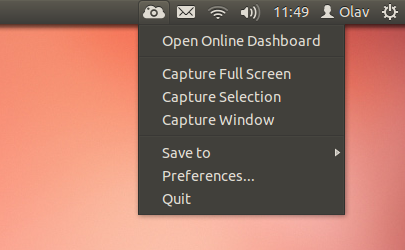
| <p>Take a screenshot using one of the 3 hotkeys or simply click the ScreenCloud tray icon. You can choose where you want to save your screenshot. Several cloud services as well as local storage is supported. A built-in screenshot editor lets you annotate your screenshots to highlight the important parts!</p>
<p>Features:</p>
<ul>
<li>Open Source and cross-platform(Windows, Mac & Linux)</li>
<li>Fast and easy: Snap a photo, paste the link, done!</li>
<li>Plugin support, save to Dropbox, Imgur, etc</li>
<li>Built in screenshot editor</li>
</ul> |
|
GPL-2.0+ |
|
|
| default |
thumbnails |
source-image |
| true |
|
|
|
|
|